Indian Railways Ticketing
TIMELINE
3 months
TEAM
2 Designers
TOOLS
Figma, Figjam, Balsamiq, Maze
ROLE
User Research,
UX Design, Visual Design, Prototyping, Usability Testing
OVERVIEW
Indian Railways online ticketing experience feels lengthy, confusing, and complicated
67% users expressed negative sentiments about using the Indian Railways website, as per the Application of Web Metrics and Text Mining on the IRCTC Portal' with concerns around coach preference, payment, time and date of travel, etc.
SOLUTION
Redesigned the platform, streamlining the login and ticket-booking flow
I focused on simplifying information to reduce cognitive overload, enabling customers to make faster, more intuitive, and confusion-free bookings.
Faster, Smoother Bookings
Spotlight where it matters -
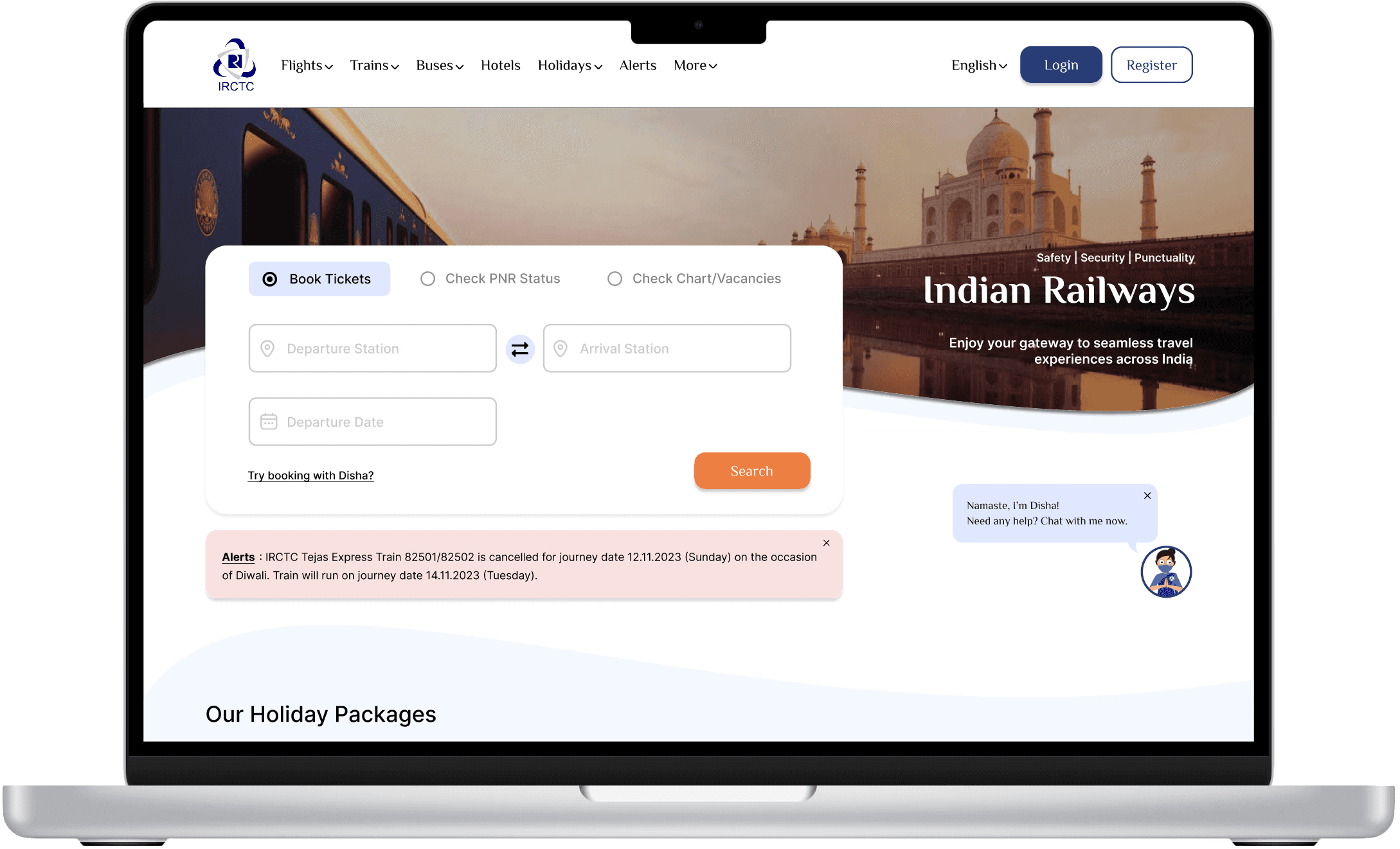
Book tickets, check your PNR, and check chart vacancies with real-time train updates.
Easy Interaction
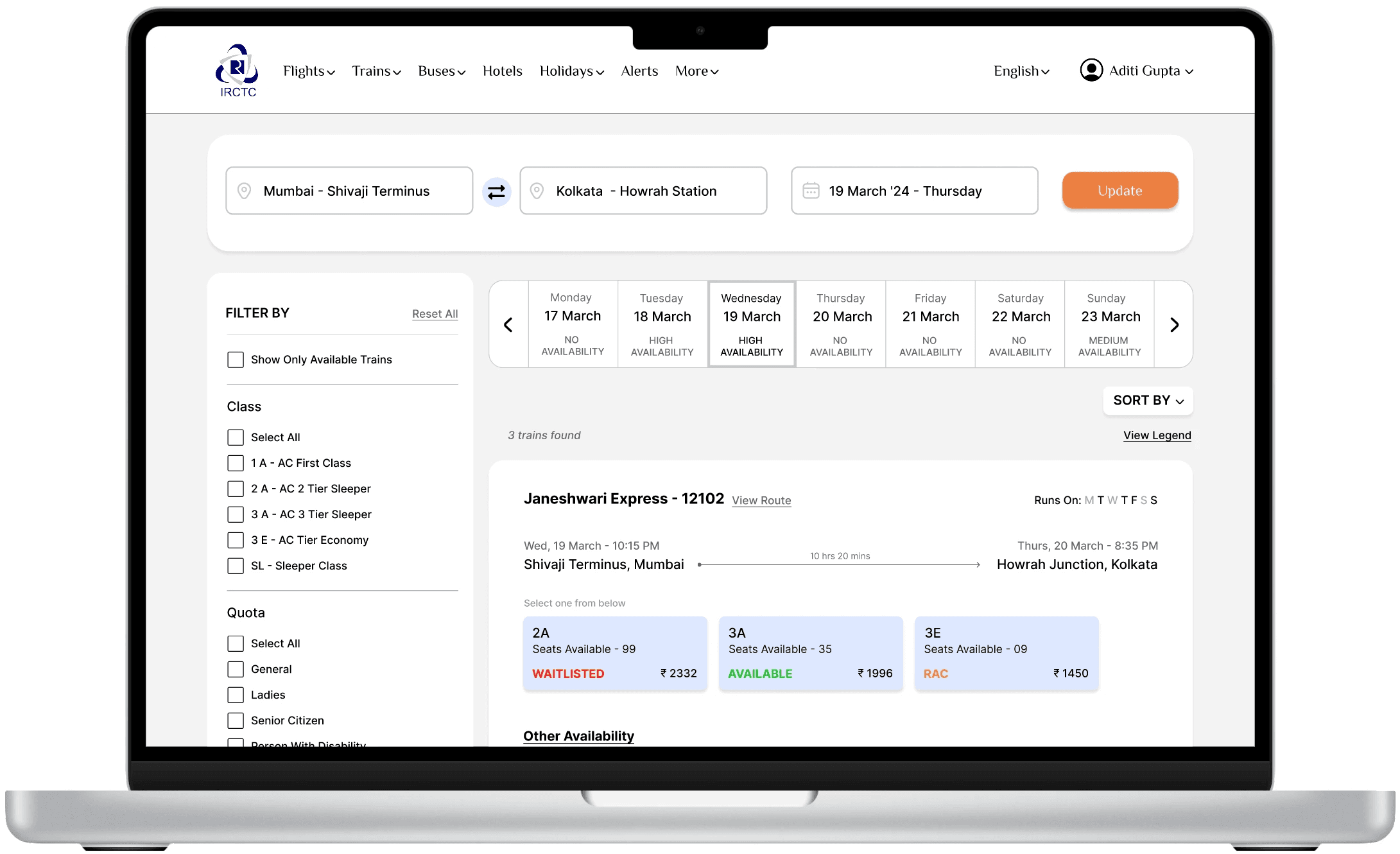
Interaction that feels as easy as it looks. Clear visual cues and information help users find and book a train faster.
Effortless Experience
Simplified booking and checkout process in three clear steps.

IMPACT
40% decrease
in time taken for the task of booking a ticket. On average, it decreased from 5 mins to 3 mins
80% CSAT
Most users said they were extremely satisfied with the process, rating it 4 or higher out of 5
SOCIAL LISTENING
The Indian Railways website has faced widespread criticism from customers, highlighting the need for substantial improvements to enhance its usability and functionality.
Need proper booking confirmation
Confusing layout
Unnecessary alerts
Complicated ticket booking process
Crowded with information
Too cluttered
Can't find where to click next
Quit midway
"

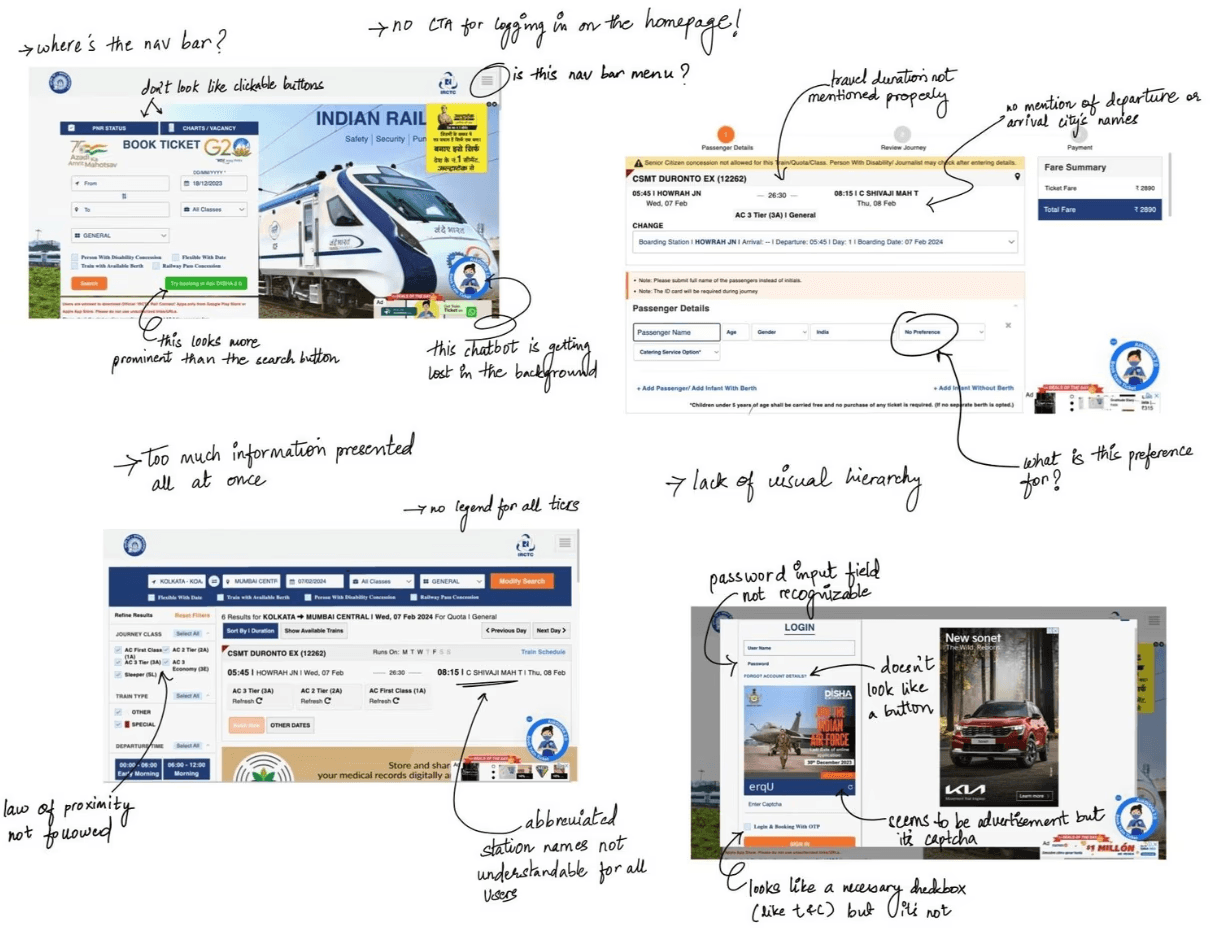
HEURISTIC MARKUP
VISUAL CHAOS
There is a lack of visual hierarchy and disregard for the law of proximity, among other issues.
Missing Crucial Travel Information
Names of the arrival and departure cities were not mentioned etc.
COGNITIVE OVERLOAD
Excessive, unwanted information makes it difficult to comprehend and focus on the important details.
COMPETITOR RESEARCH
Other platforms helped users find the right information at the right step and take the next steps with confidence.
I evaluated the criteria: clarity of information, intuitiveness of navigation, search and filtering options, visual design, and more—of IRCTC's top competitors. I loggede in and booked tickets on competitor websites to identify areas where IRCTC falls short and discover improvements needed to outperform them.

Participants for the user research represented varying levels of experience with the IRCTC website from first-time users to frequent users.
25 SURVEY rESPONSES
It aimed to understand customers' first impressions or previous interactions with IRCTC, their likelihood to recommend it, and likes and dislikes.
3 INTERVIEWS
Two tasks: Logging in and booking a ticket from station A to B. Follow-up questions were asked to identify challenges and improvement areas.
"How satisfied were you with the ticket booking process?"
CONCERNS RAISED
Too many unnecessary alerts
Numerous unexplained terms
Booking page has too many filters
Redundant information
Outdated design with excessive distractions
Hidden captchas
Unspecified errors with no cues on what to do next
Created an empathy map to help me distill and organize my findings. Categorized the data into what the users hear, say & do, see think & feel their pains and gains.

HMW
help power users and new users complete their booking effortlessly?
Frequent users were accustomed to the existing booking flow, so the goal was to improve usability while preserving familiar patterns and minimizing disruption for power users.
SKETCHES
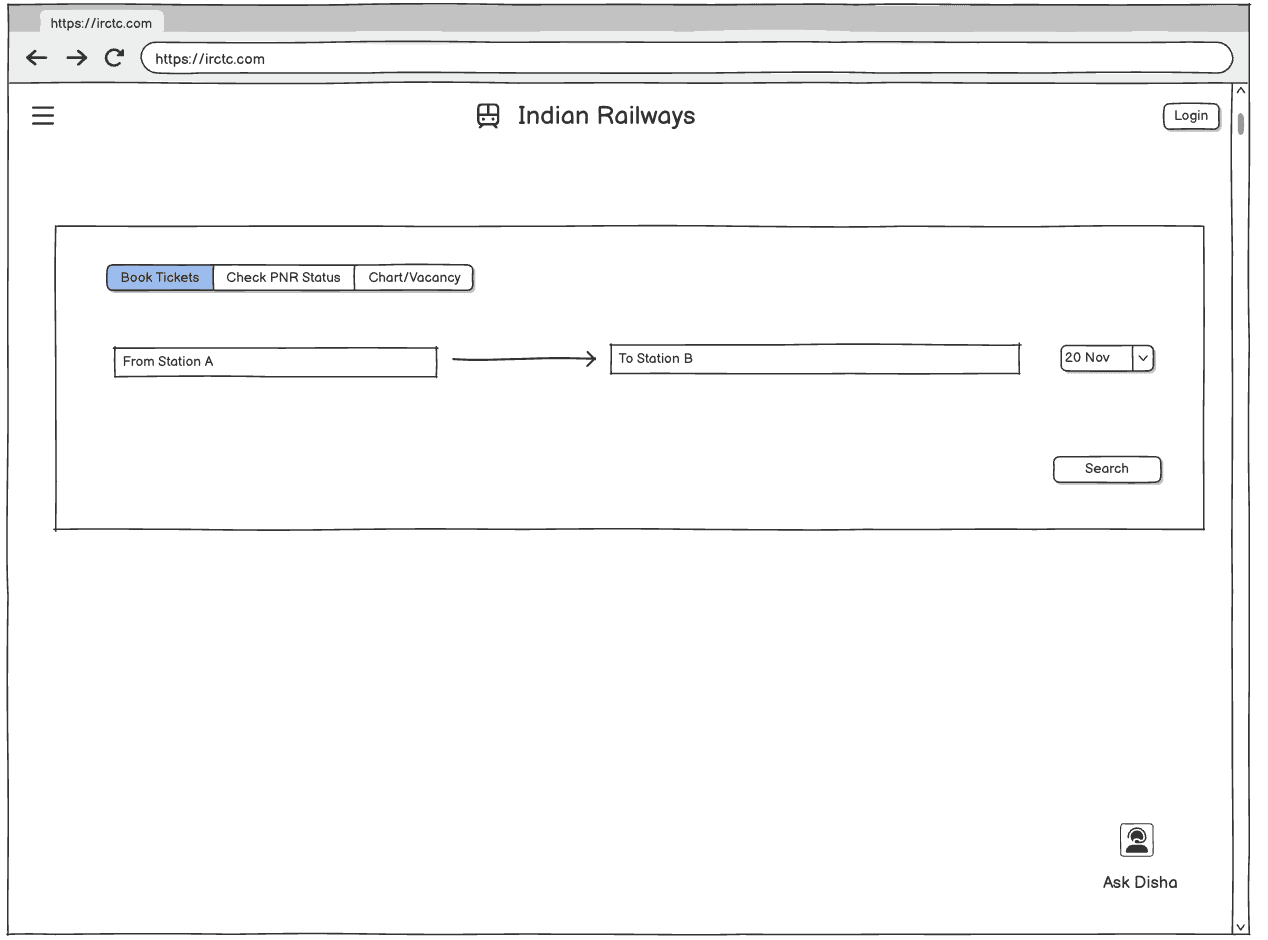
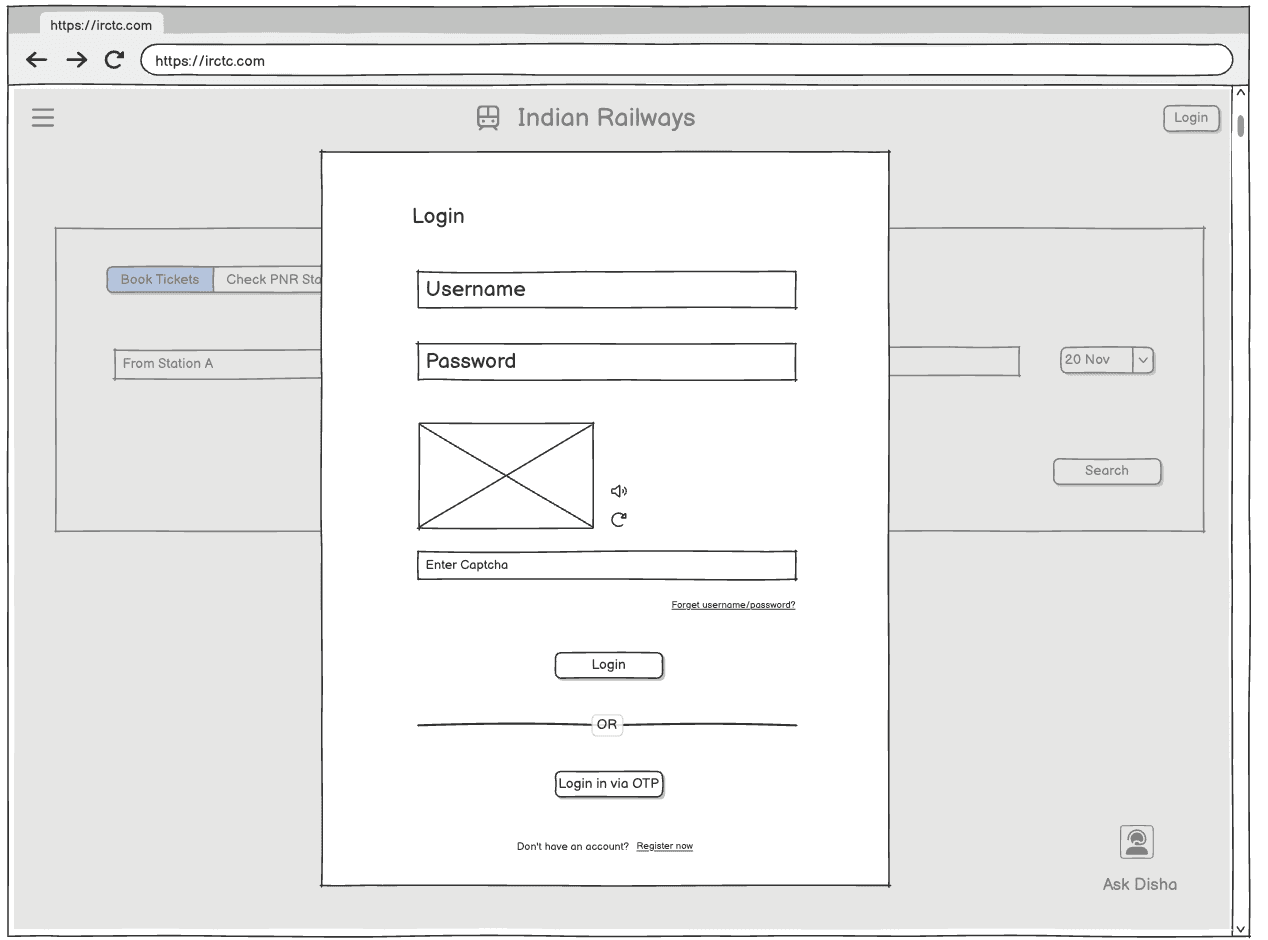
I created preliminary user flow sketches and wireframes (on balsamiq), avoiding drastic changes, and simplifying the ticket booking process by first focusing on removing redundant information and unnecessary steps.

EXPLORATIONS
I prototyped two explorations, A and B. To determine which one offers a smoother and faster experience for users booking a train seat, I conducted an A/B test on my wireframes.
HYPOTHESIS
Displaying all coach options upfront in the train card (A) enables faster, informed decisions by reducing clicks and cognitive load compared to a dropdown based on-demand disclosure (B).
EXPLORATION A
Train Coach
as Cards
Date scroller at the top, with all coach options visible upfront within each train as cards, allowing users to view and compare all options at once.

EXPLORATION B
Train Coach
in a Dropdown
Dropdown to select the coach with dates as cards within each train, leveraging progressive disclosure to reveal options step by step.
A/B TESTING
Exploration A enabled faster bookings with fewer user errors!
I A/B tested both the explorations with 2 participants each — Exploration A resulted in a faster booking time of 3.7 minutes and an average of 1 error per user, compared to Exploration B, which took 5.55 minutes and averaged 3.5 errors per user.
FINAL DESIGNS
The final prototypes focused on simplifying the booking journey, improving information clarity, and making essential actions more accessible while preserving familiar patterns for frequent users.
Easy login
Introduced a pop-up for login, removed background distractions and added a confirmation message for successful login.

Improved Visibility and Access
KEY FUNCTIONALITIES
Clickable radio buttons provide quick access to Booking Tickets, PNR Status, and Charts; while subtle alerts maintain visibility without distracting from core tasks.
Navigation Bar
Restructured navigation with reorganized menu items and a prominent login/register button.

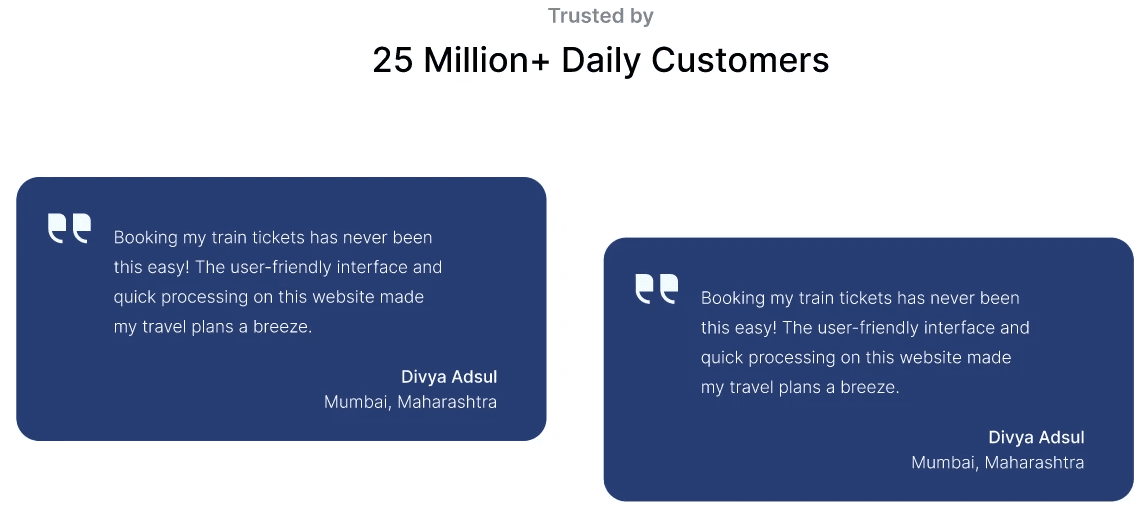
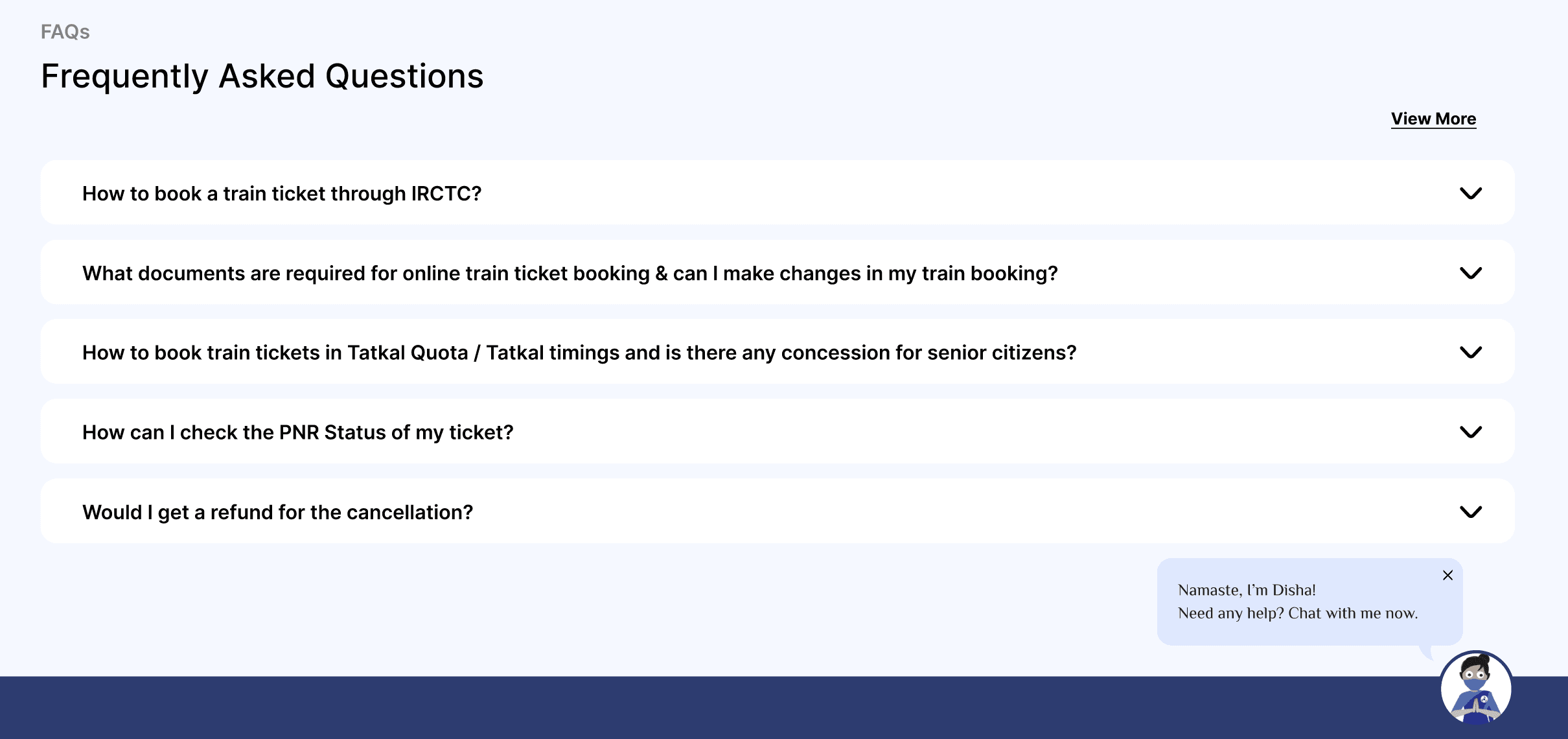
FAQs, a chatbot for immediate assistance and testimonials were introduced to build trust.
Intuitive Design
ORGANIZED INFORMATION
Improved visual hierarchy and eliminated redundant information, making it easier to glance through information like - filters, available trains and seats, etc.
NEW FEATURES
Sort feature & date carousel were introduced for train browsing. Legend was added to explain unfamiliar terms.


3 Easy Steps to Book
Passenger Details
Enter passenger information in a streamlined pop-up with clearly labeled fields.
Review Journey
Easy to glance and confirm all necessary journey details.
Checkout
Complete the booking with a secure payment process.


USABILITY TESTS
1:1 testing with 5 participants
Participants were asked to log in and book a train journey for a specified date and between designated stations, followed by questions evaluating their experience around filtering and sorting trains, reviewing journey details, and confirming their ticket.
It’s just so much easier now to take in all the information and find the train I’m looking for.”
-Participant

AREAS FOR IMPROVEMENT
Post-Booking Experience
While the booking flow was a significant improvement, users wanted support after booking, such as easy options to email or share tickets with family.
Improve Journey Planning
Users needed the flexibility to book return journeys alongside their onward tickets, improving travel planning.
TAKEAWAY
Learned to develop designs that integrate improvements while prioritizing a smooth transition for long-time users who are accustomed to more traditional approaches.
This experience underscored the crucial role of empathy in design, for all users equally.

Let's connect!


c
2026 Aditi Gupta